Renaming Channels
We use S001R06.edf from the EEG Motor Movement/Imagery Dataset in this example. In this data set, all channel names contain trailing dots (for example, C3.. instead of C3). These extra characters prevent MNELAB from correctly matching the channels to a standard montage (that is, predefined channel locations), so let's remove them from the channel names.
To do this, select Channels – Rename Channels… and configure the dialog as follows to strip the dots from the end of the channel names:
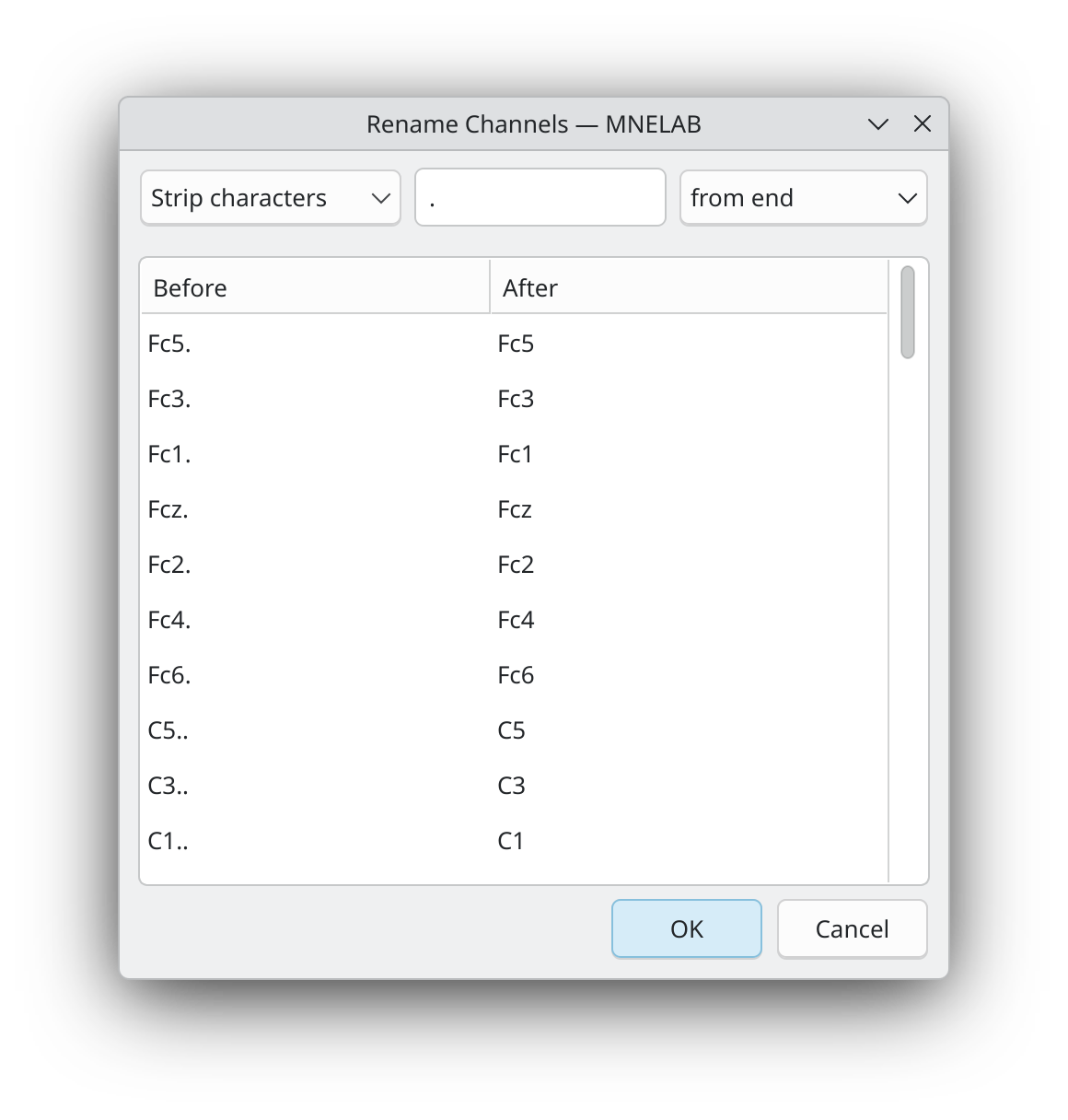
After clicking OK, the channel names are updated.
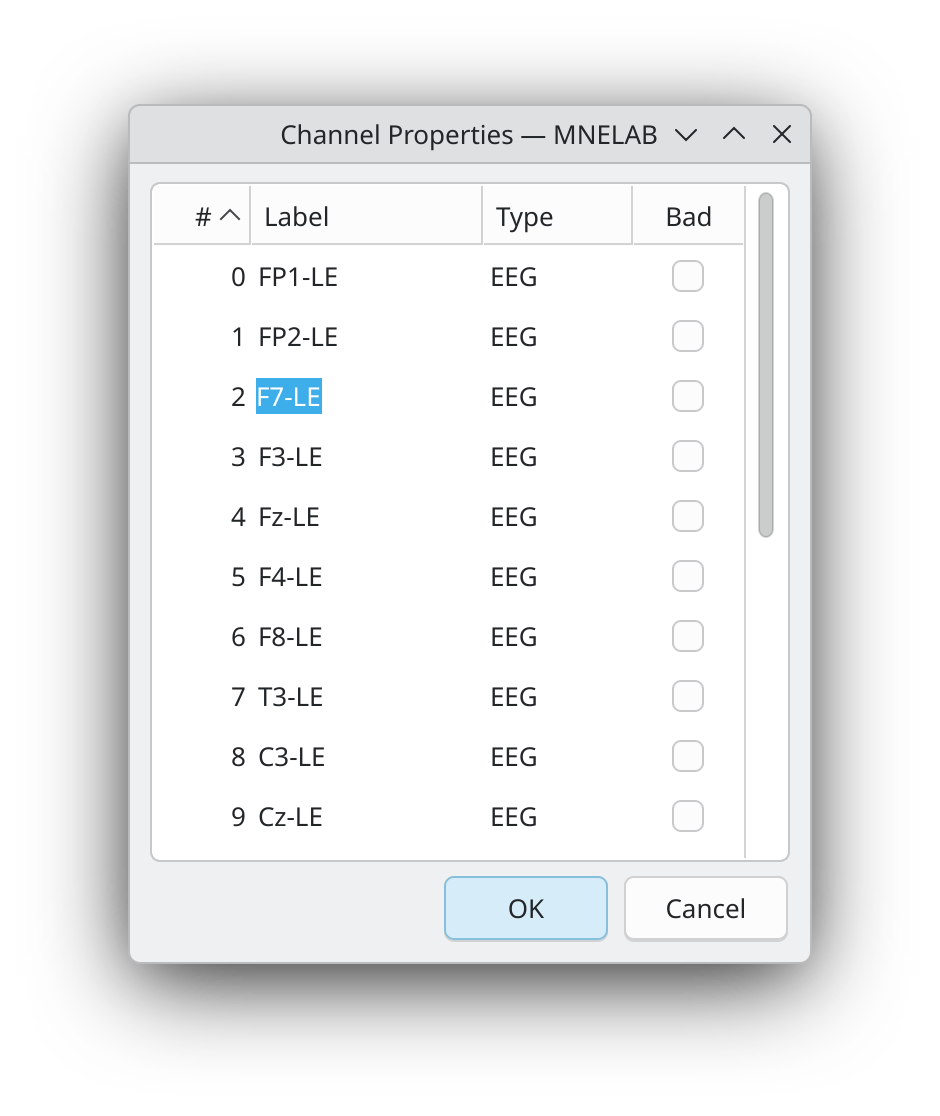
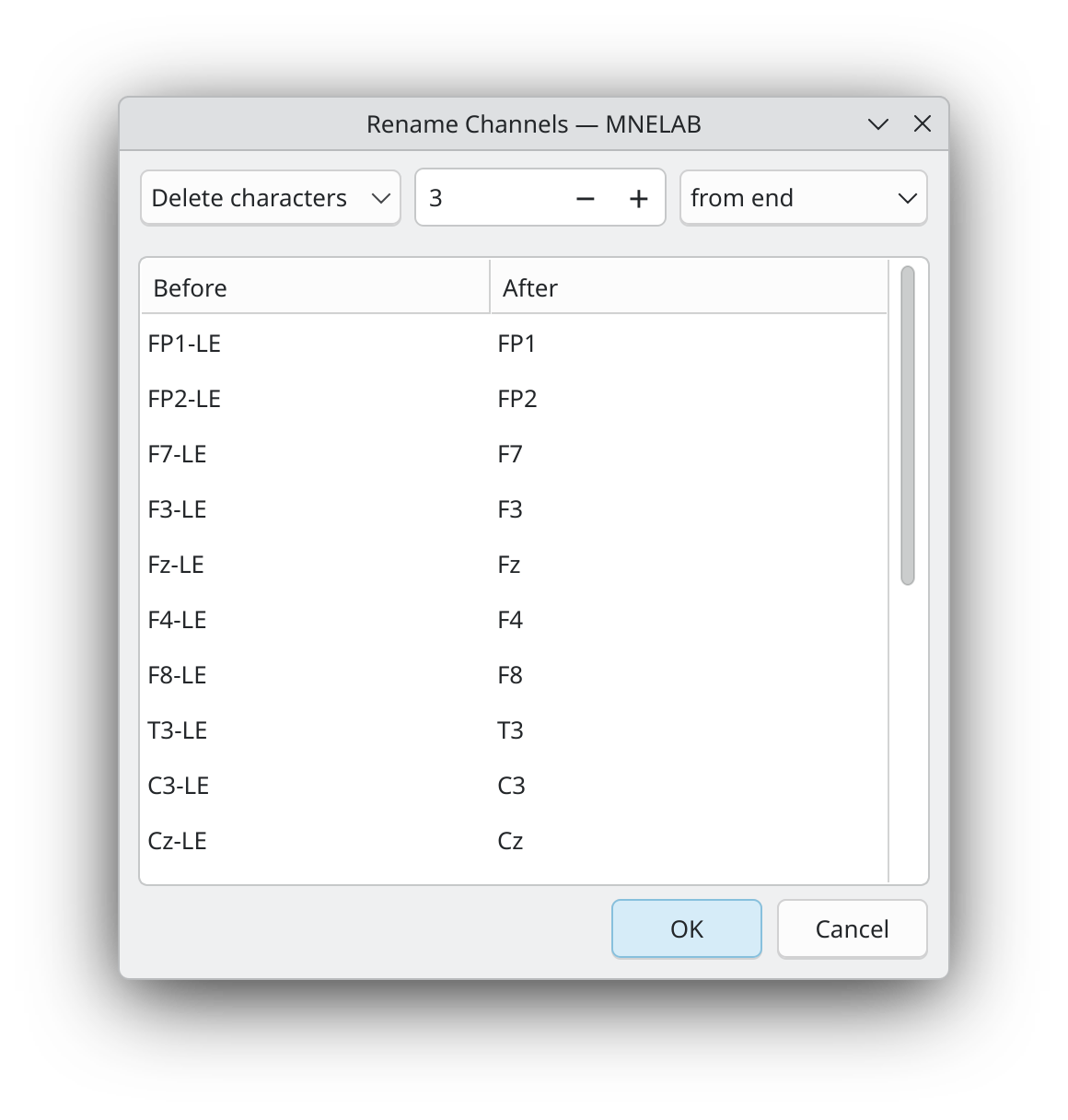
Whereas the Strip characters option removes a specified character (or characters) from the beginning or end of the channel names (including multiple occurrences), the Delete characters option removes a specified number of characters. We can use the Australia-Pre-ICA.edf example file to demonstrate how this works. In this file, all channel names end with "-LE". We could use the Strip characters option as before, but we can also use the Delete characters option to remove the last three characters from the channel names, which achieves the same result:
If you want to rename individual channels, select Channels – Channel Properties… and edit the channels names directly in the table by double-clicking on them: